Homelab Hardware
A look at the mini PCs powering my Kubernetes homelab. Three compact, power-efficient machines running 24/7.
Before diving into software and services, let's talk hardware. My homelab runs on three mini PCs, chosen for their balance of performance, power efficiency, and footprint.
The firewall and control plane: Glovary


This Glovary appliance does double duty. Four Intel i226-V 2.5GbE NICs make it a good fit for OPNsense. On the same box, I run Proxmox to host a VM that acts as the Kubernetes control plane (intel-c-firewall).
Specs:
- CPU: Intel N100 (4 cores)
- RAM: 8 GB
- Storage: 128 GB NVMe
- Network: 4x 2.5GbE Intel i226-V
The N100 handles firewall duties and the Kubernetes API server with headroom to spare.
The primary worker: AMD mini PC
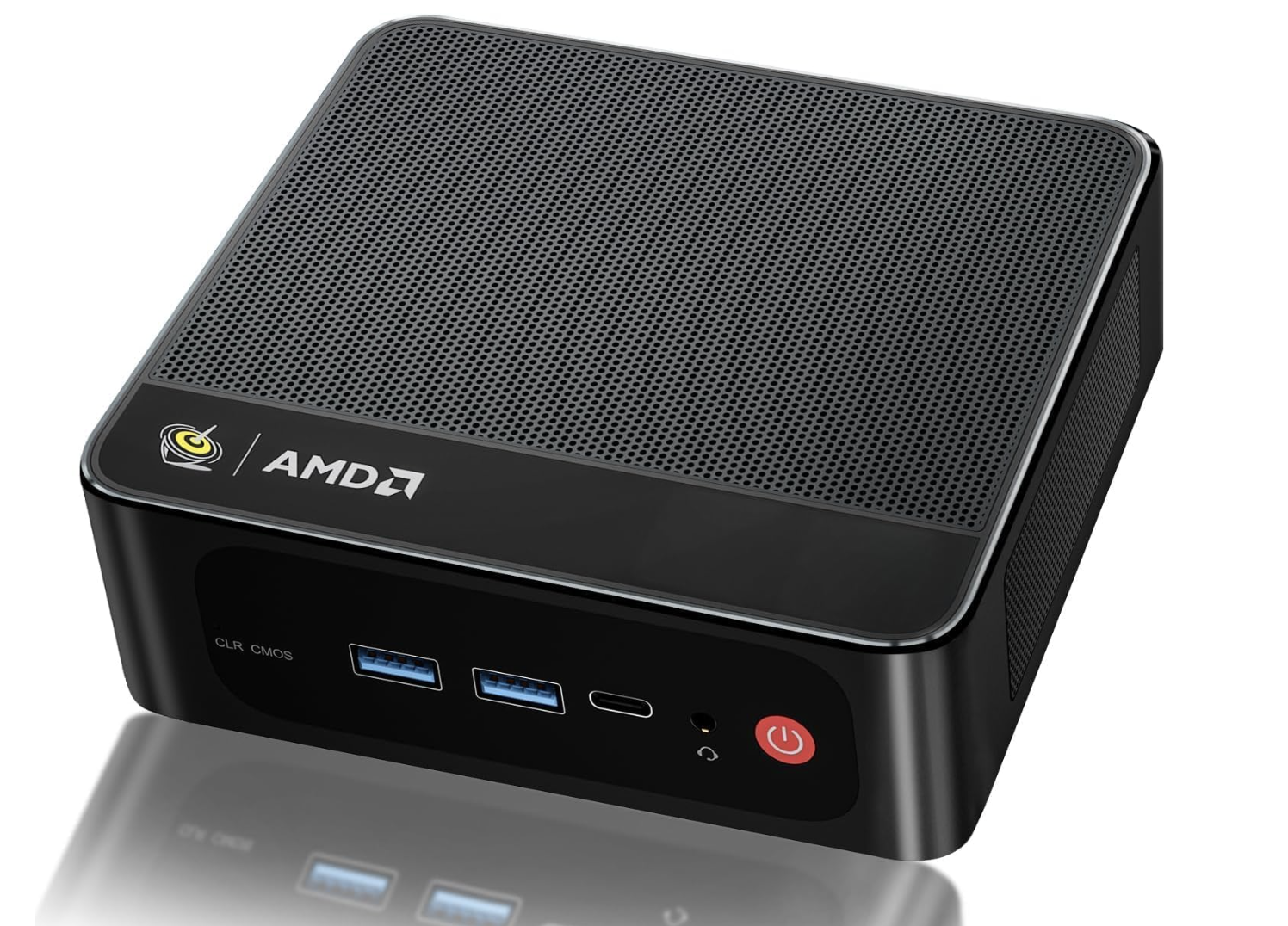

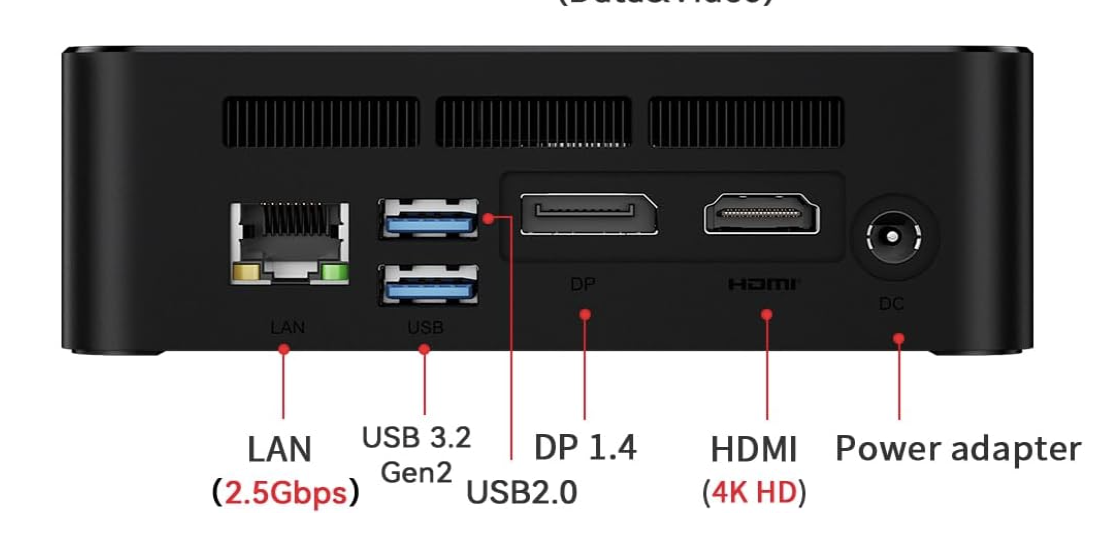
This AMD box (amd-w-minipc) is the workhorse. 16 cores, and it carries most of the application workloads.
Specs:
- CPU: AMD Ryzen (16 cores)
- RAM: 13 GB
- Storage: ~1 TB
- Network: 2.5GbE
The 2.5GbE port matters — storage traffic between nodes saturates gigabit easily.
The storage worker: ACEMAGIC
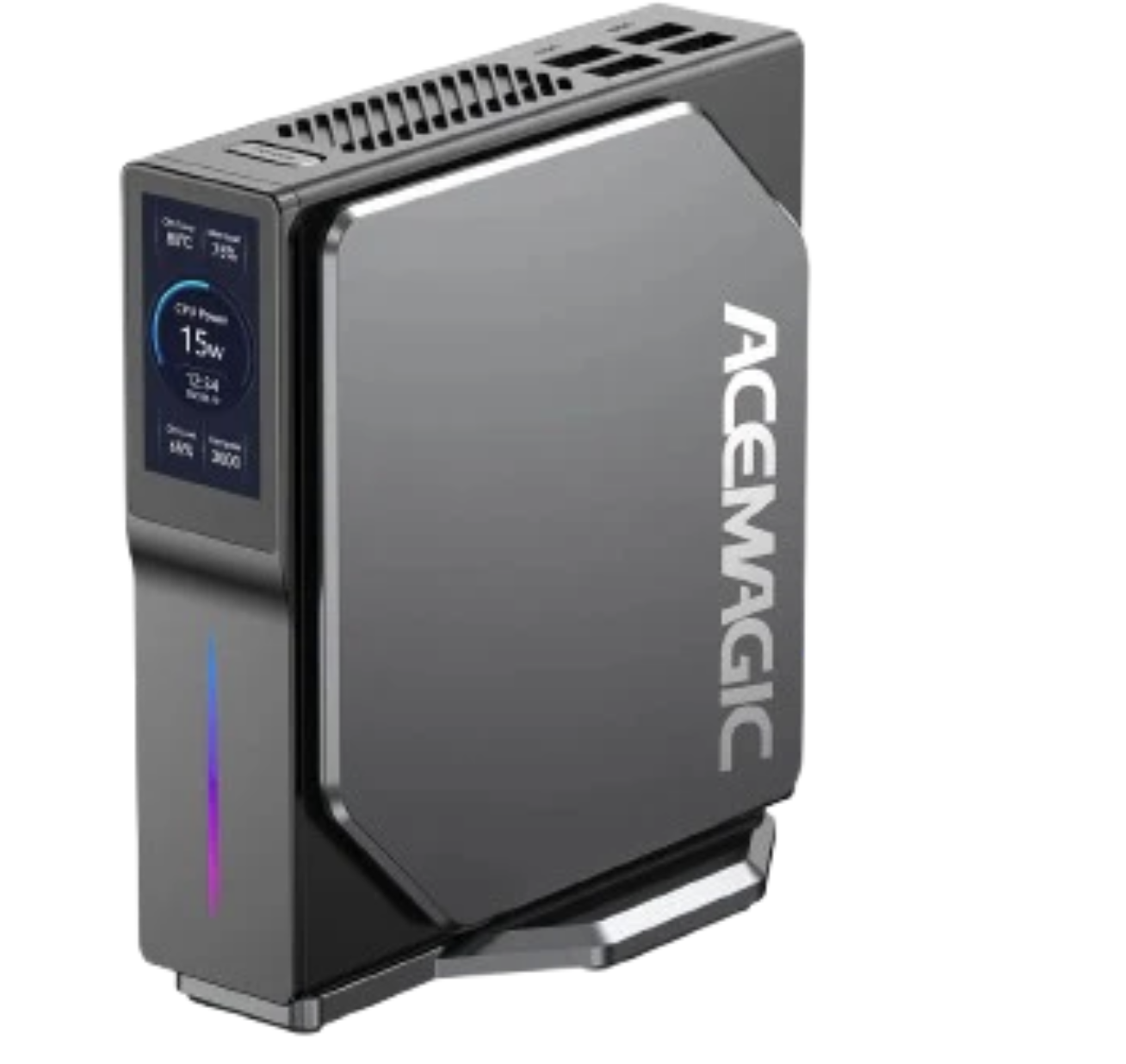
The ACEMAGIC (intel-w-acemagic) has a built-in display showing power draw and temperatures. It handles the storage-heavy workloads.
Specs:
- CPU: Intel (4 cores)
- RAM: 16 GB
- Storage: ~1 TB
- Network: 2.5GbE
The extra RAM is useful for Longhorn caching and storage operations.
Why mini PCs?
The whole cluster idles at 50W. Less than one traditional server, cheap enough to leave on 24/7. Three boxes take up less space than a single rack unit. They're quiet enough to live in my kitchen — silence matters more than I expected. And a shelf of mini PCs is a fraction of enterprise hardware for the same aggregate compute.
Network topology
All three nodes connect to a 5-port 2.5GbE unmanaged switch. The Glovary firewall handles routing between VLANs and provides internet access. For WiFi, I use 2 Google Nest WiFi Pro units in bridge mode, connected to the switch.
Internet → Glovary (OPNsense) → Managed Switch → Worker Nodes
                ↓
         Proxmox VM (Control Plane)
Power consumption
Measured at the wall with a smart plug:
- Idle: ~50W total
- Under load: ~80-100W
Roughly 36 kWh per month at idle. That's lost in the noise of normal household usage, and a fraction of what a traditional rack server would pull.
The shopping list
Here's the full hardware stack:
- Glovary mini PC (firewall + control plane host)
- AMD mini PC (primary worker)
- ACEMAGIC mini PC (storage worker)
- 2x Samsung 980 NVMe (1 TB each)
- 5-port 2.5GbE unmanaged switch
- 40Gbps patch ethernet cables
- 2x 75ft Cat 8 ethernet cables
- 2x Google Nest WiFi Pro (second hand)
Everything on the software side (Talos Linux, Kubernetes, Flux, Longhorn, Prometheus, every self-hosted app) is open source and free.
One thing that surprised me: shipping hardware from overseas was cheaper than buying locally. The only downside was the wait.
What I'd change
More RAM on the control plane. 8 GB works today, 16 GB would breathe easier as services pile up. Matching NICs would simplify the mental model — consistent 2.5GbE across every node. NVMe everywhere too: a couple of boxes still run SATA SSDs, and etcd plus database workloads notice the difference.
Next steps
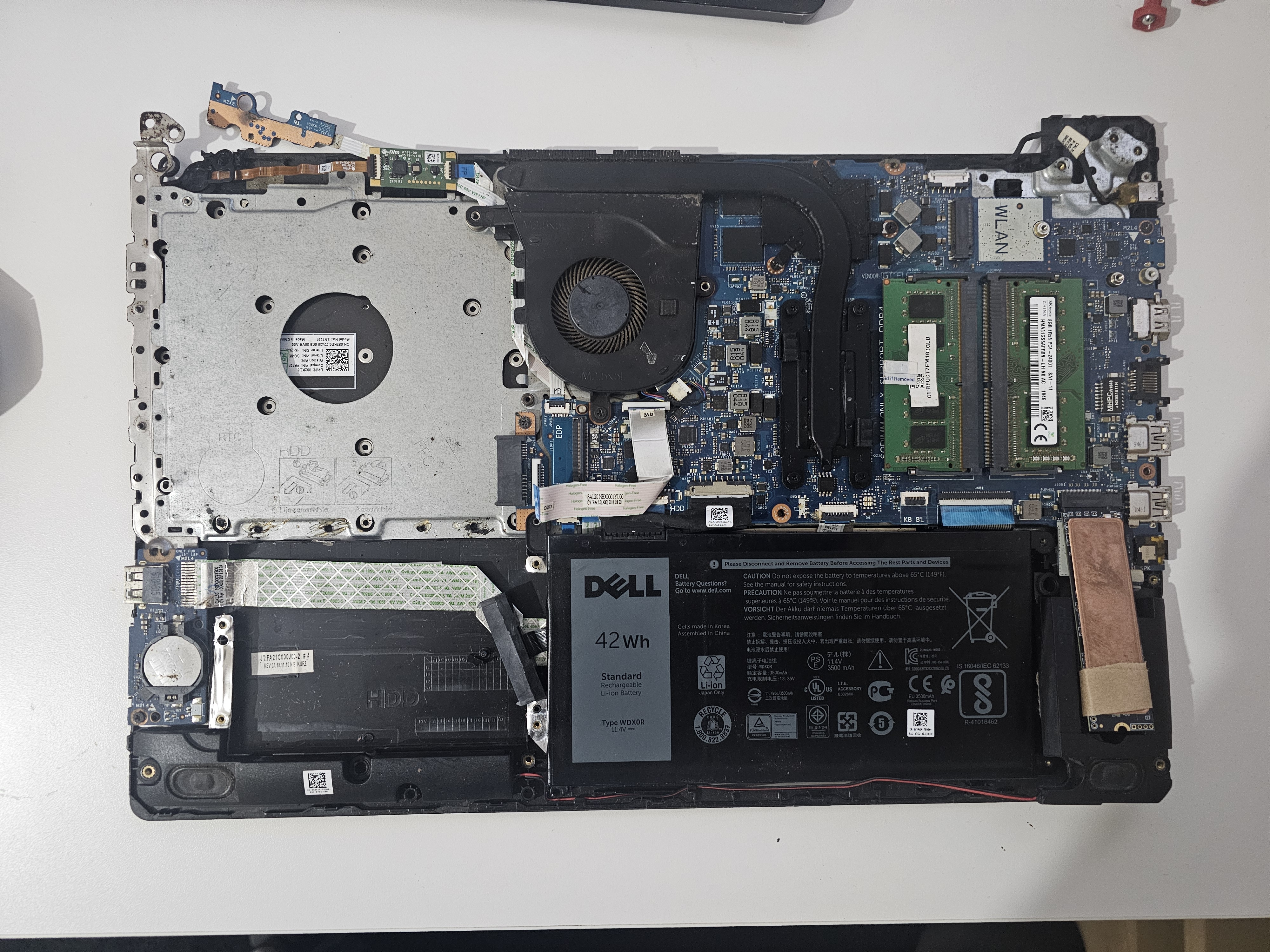
I have an old Dell laptop (Intel Core i7, 8th gen) that would be great for Jellyfin transcoding. The plan is to fold it into the cluster and find a new role for the ACEMAGIC.
Future expansion
Each node has room for one more 4TB SSD — the AMD mini PC, the Dell laptop, and the Glovary firewall all have a free slot. That's 12TB of expansion without adding any new boxes. More disk on the hardware I already own, rather than more hardware.
The catch is cost. 2.5" SSDs at 4TB aren't cheap. For now the two Samsung 980 NVMe drives cover what I need.
The plan: max out what the existing nodes can hold before looking at a dedicated NAS. 12TB of headroom should get me a long way.
For the software side, see My Home Lab and the GitOps repo running on top of it.
Last updated on January 14th, 2026